Attendance and make-up lessons, tracked for you
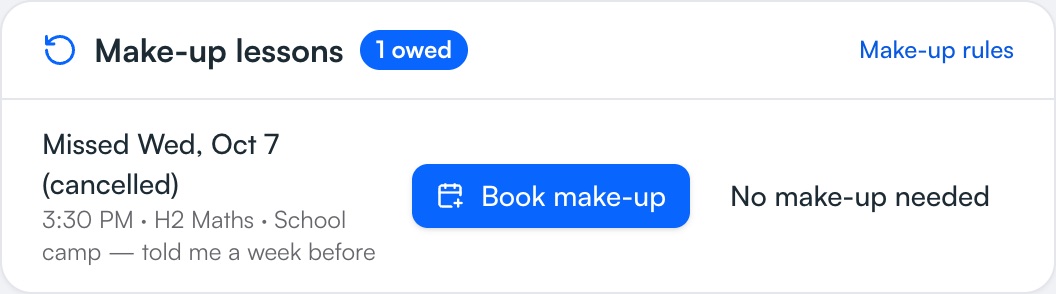
Mark who came in one tap. When a student cancels, TuitionCRM remembers they're owed a make-up until you book it — and if the missed lesson was already charged, the make-up is free, so every lesson is paid for exactly once.
Free on every plan.
How it works
- 1
Mark attendance
Attended, cancelled, short-notice cancel or no-show — straight from the schedule.
- 2
Make-ups are remembered
You choose which cancellations earn a make-up; owed make-ups are listed on your Overview.
- 3
Book the make-up
Pick the missed lesson when booking; the invoice explains it to the parent.
- 4
See the history
Each student's attendance record, notes and invoices on one page.
What you get
- Your make-up rulesDecide which cancellations get a make-up and whether short-notice cancellations are charged.
- Never billed twiceA charged missed lesson makes the make-up free.
- Student profilesParent contacts, school, level, subjects, notes and lesson plans.
- Active, churned, graduatedPast students stay on record without counting towards your plan.
- Import in minutesFrom a photo of your notebook, a pasted list, Google Calendar or Excel — you check every student before it's saved.
- Parents see it tooMake-ups owed show on the parent page.
Instead of…
Ticking attendance in a notebook
One tap on the lesson, from your phone
Remembering who's owed a make-up
Owed make-ups listed until they're booked
Arguments about which lessons were charged
Invoices that explain every make-up
Common questions
How does make-up tracking work?
When you mark a cancellation that earns a make-up, the student is owed one until you book it. If the missed lesson was charged, the make-up is free — so each lesson is paid for once.
Can I charge late cancellations?
Yes. You choose whether short-notice cancellations and no-shows are charged, and which cancellations earn a make-up.
Can I import my students?
Yes, from Excel, Google Sheets or CSV — or copy and paste. Columns are matched for you.
Step-by-step help
Guides for tutors
Free for your first 5 students · No card needed
Try attendance & make-ups with your own students today.