Parents get reminded, so you don't have to
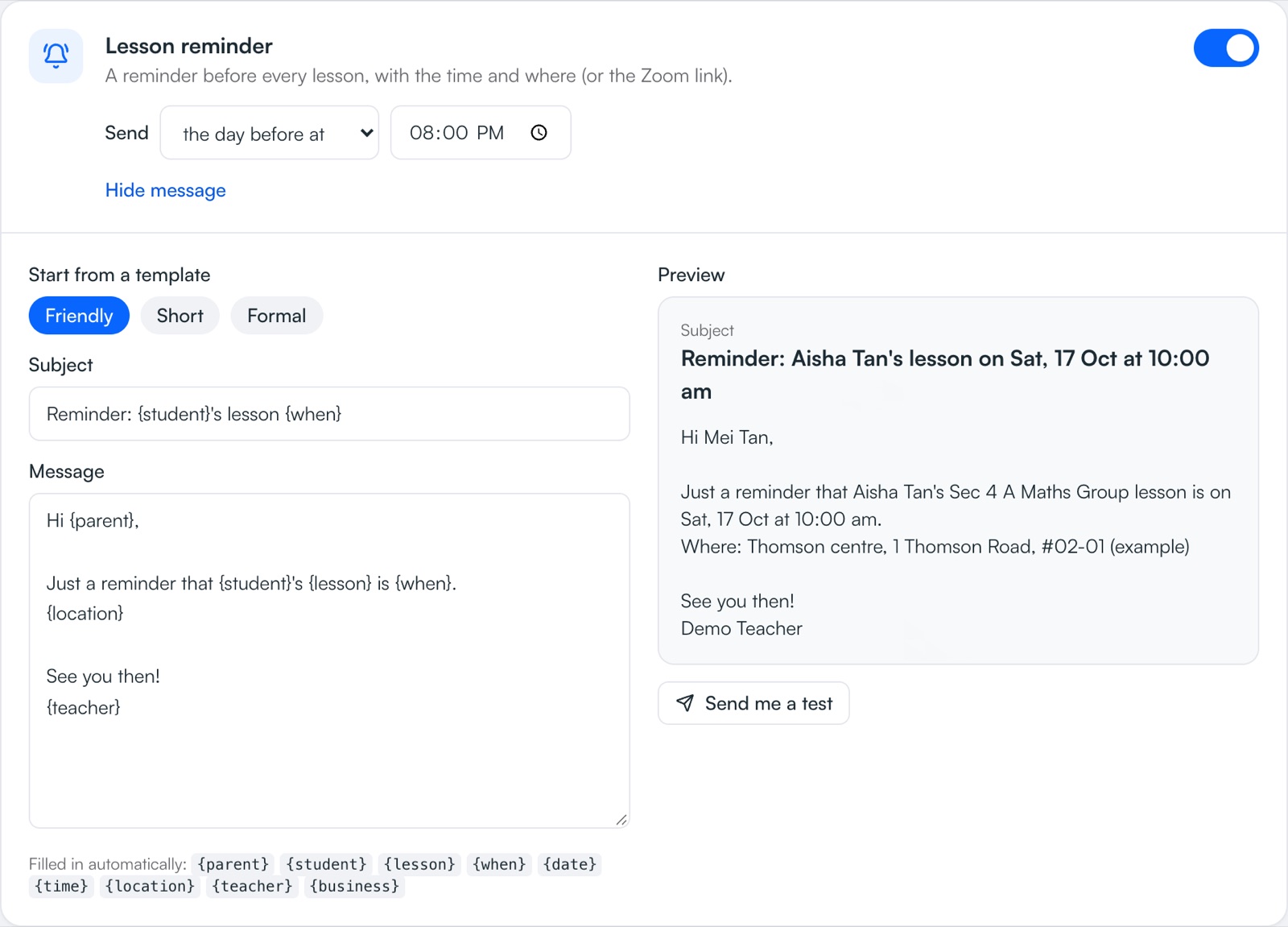
Lesson reminders, welcome emails, schedule changes and polite overdue-payment reminders go out on their own, in your business name — replies come straight to you. Choose which ones are sent, when, and exactly what they say.
Part of Pro, Pro Plus and Centre.
How it works
- 1
Switch on the ones you want
Welcome + schedule, lesson reminders, lesson moved, lesson cancelled, monthly schedule and payment overdue.
- 2
Choose when
Lesson reminders the evening before, the same morning, or a few hours before. Overdue reminders a few days after the due date.
- 3
Make it sound like you
Edit every message in plain words, with the parent's and student's names filled in.
- 4
Check what went out
Recent emails shows what was sent to whom — and anything that failed.
What you get
- Lesson remindersBefore every lesson, with the time and the address or Zoom link.
- Changes, automaticallyMove or cancel a lesson and the parent is told — no extra message to write.
- Polite overdue remindersWith your PayNow details. Skipped if the parent tapped “I've paid”.
- Welcome + scheduleNew parents get their upcoming lesson dates when you book them.
- Per-student controlSwitch emails off for any student, or copy the student as well as the parent.
- In your nameEmails come from your business name and replies go to your own email.
Instead of…
Messaging every parent the night before
Reminders sent automatically, at the time you choose
Awkward “just checking on the fees…” texts
A polite, automatic reminder with your PayNow details
Forgetting to tell a parent a lesson moved
They're emailed as soon as you move it
Common questions
Which reminders can TuitionCRM send?
Welcome + schedule for new students, lesson reminders, lesson moved, lesson cancelled, a monthly schedule, and payment overdue reminders. Each can be switched on or off.
When are lesson reminders sent?
You choose: the evening before at a set time, the same day at a set time, or a number of hours before the lesson.
Will parents be chased if they've already paid?
No. If a parent tapped “I've paid” on their parent page, the overdue reminder isn't sent.
Are reminders sent by WhatsApp?
Automatic reminders are sent by email, in your name. Invoices and parent pages are sent on WhatsApp in one tap.
Step-by-step help
Guides for tutors
Free for your first 5 students · No card needed
Try reminders with your own students today.