A tuition schedule that keeps up with your week
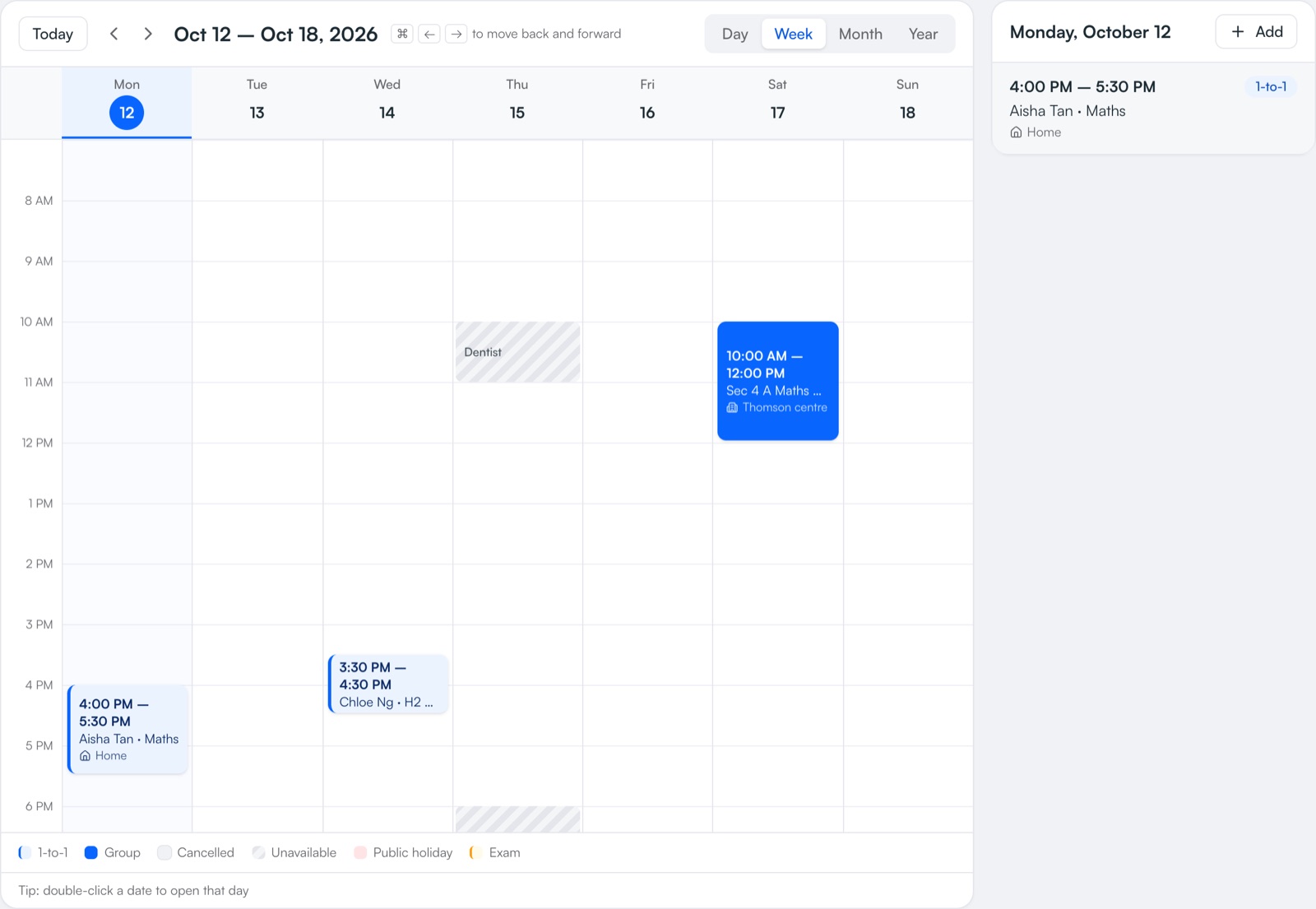
See every lesson by day, week, month or year. Book 1-to-1s and group classes that repeat on their own, move a lesson in two taps, and get warned before you double-book — with Singapore public holidays and exam dates already on the calendar.
Scheduling is free on every plan. Syncing your Google, Apple or Outlook calendar is part of Pro.
How it works
- 1
Book a lesson once
Choose the student or group, time and place — then repeat it every week, every 2 weeks or once a month.
- 2
Move it when plans change
Reschedule or cancel one lesson, or this and all later lessons. The parent can be emailed automatically.
- 3
Skip holidays
When a repeating lesson lands on a public holiday or a day you've blocked, you choose which dates go ahead.
- 4
See it everywhere
Your lessons appear in your phone's own calendar, with the student and the address or Zoom link.
What you get
- Group classesPut students into a group once — every future lesson follows. New students join all upcoming lessons; leavers drop off.
- No double-bookingYour Google, Apple (iPhone) or Outlook plans show as busy time, and you're warned before saving a clash.
- Exam dates built inSingapore public holidays and PSLE, O-Level, A-Level and IB paper dates are on the calendar, with a countdown to the next one.
- Block out timeHolidays, appointments, your own exams — block them and lessons skip around them.
- Places and Zoom linksSave your centre, home and online meeting link once; each lesson just says where.
- Works on your phoneCheck today's lessons between classes and mark attendance. It keeps working without a signal.
Instead of…
A paper diary or a spreadsheet timetable
Lessons that repeat on their own and move in two taps
Forgetting it's a public holiday until the parent asks
Holidays on the calendar, skipped when you choose
Copying lessons into Google Calendar by hand
Lessons appear in your phone calendar automatically
Common questions
Can I schedule group tuition classes?
Yes. Create a group once and book its lessons; every student in the group is on every lesson. Changing the group's usual time updates the whole term.
Does it show Singapore public holidays and exam dates?
Yes — Singapore public holidays and PSLE, O-Level, A-Level and IB exam dates are built in, with links to the official sources. You can add school exams like prelims for each student too.
Can I see my lessons in my iPhone or Google Calendar?
Yes, on every plan: subscribe once and your lessons appear in your phone's calendar, updating by themselves. Showing your personal calendar as busy time inside TuitionCRM is part of Pro.
Can I book a lesson once a month?
Yes — lessons can repeat weekly, every 2 weeks, or on the same week and weekday each month (e.g. the 2nd Saturday).
Step-by-step help
Guides for tutors
Free for your first 5 students · No card needed
Try scheduling with your own students today.