Tuition invoices with your PayNow QR — sent in one tap
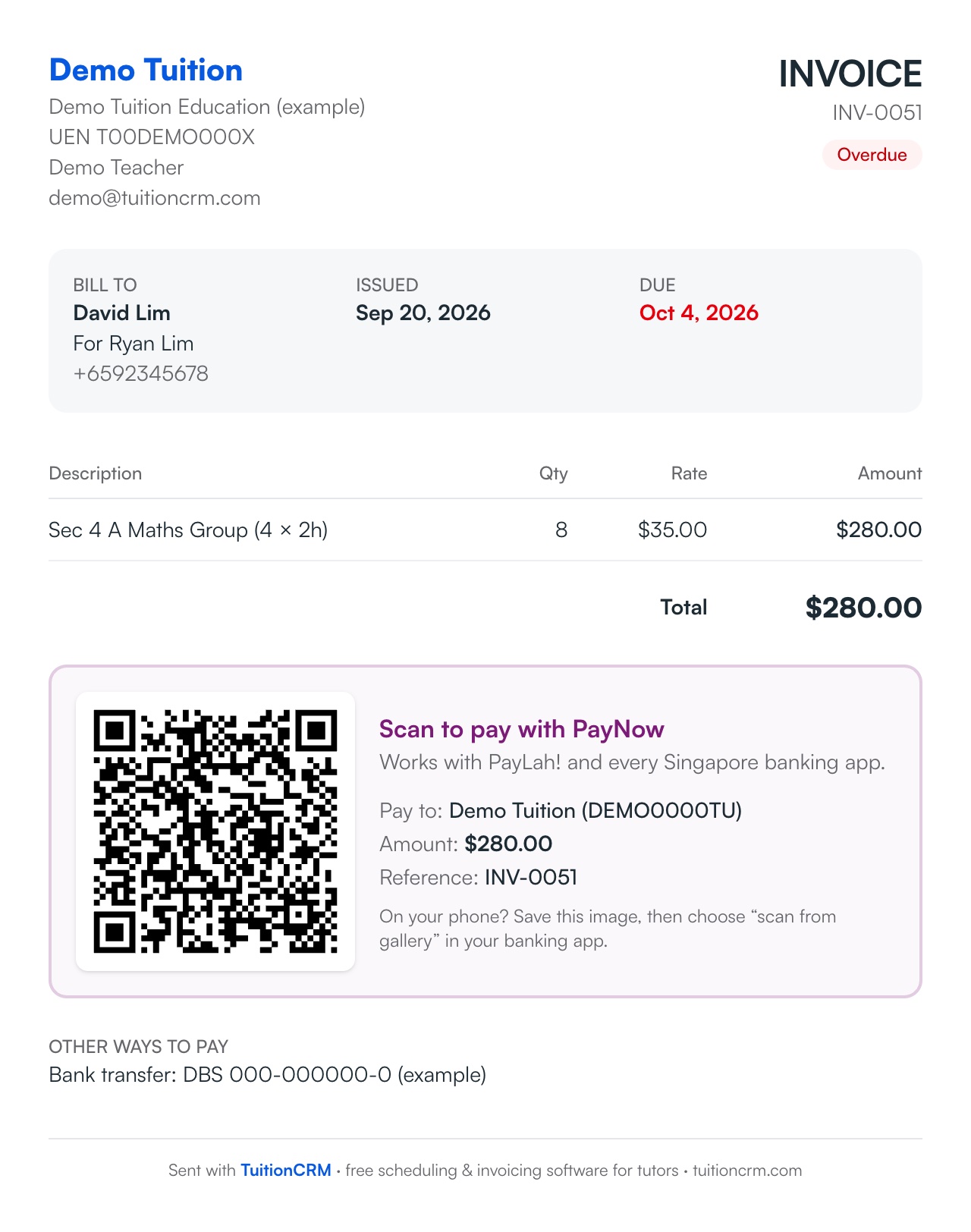
TuitionCRM turns the lessons you actually taught into a clean invoice with your own PayNow QR code on it, amount already filled in. Parents scan it in their banking app and pay in seconds — and you always know who still owes you.
Invoices with your PayNow QR are free on every plan. Bill everyone, monthly fees, packages and overdue reminders are part of Pro.
How it works
- 1
Add your PayNow once
Your mobile number or UEN and the name parents see. Every invoice gets your QR from then on.
- 2
Make the invoice
Pick a student and month — the lessons they attended are listed and priced at their rate. Or use Bill everyone to make every parent's invoice at once.
- 3
Send it
Save it as an image and send it on WhatsApp with a ready-written message, or email it. The QR has the exact amount and invoice number.
- 4
Mark it paid
When the money arrives, mark it paid with the date. If the parent tapped “I've paid” on their page, you'll see it on your Overview.
What you get
- Built from lessons taughtCancelled and missed lessons are left out, make-ups are explained, and nobody is billed twice for the same lesson.
- Bill everyone in one goOn your billing day every parent's invoice is worked out — monthly, every 2 weeks or every few lessons. Check the list and create them all.
- Monthly fees and packagesCharge per lesson, a flat monthly fee, or packages of lessons counted down automatically. Add registration fees, materials, deposits and sibling discounts.
- Your price listSave your rates and per-subject prices once — filled in for new students. Raising prices? Choose who moves to the new rate.
- Who hasn't paidUnpaid and overdue invoices in one list with days late. Search by student, parent or invoice number.
- Company detailsRegistered business? Add your legal name, UEN and GST number to every invoice.
Instead of…
Typing invoices in Word or Excel every month
Every invoice worked out from the lessons you taught
Sending your PayNow number and asking parents to type the amount
A QR with the exact amount and reference — scan and pay
Scrolling through WhatsApp to remember who paid
One list of who owes what, and for how long
Common questions
How do parents pay a TuitionCRM invoice?
Every invoice has your own PayNow QR code with the amount filled in. Parents scan it with PayLah! or any Singapore banking app, and the money goes straight to your bank account — TuitionCRM never touches it and takes no cut.
Can I send invoices on WhatsApp?
Yes. Save the invoice as an image (with the QR) and send it on WhatsApp with a ready-made message, or email it. On a phone, Share opens WhatsApp directly.
Can I charge a monthly fee instead of per lesson?
Yes, on Pro: per lesson, a flat monthly fee, or packages of lessons. Registration fees, materials, deposits, refunds and sibling discounts can be added too.
Can I put my company name and UEN on invoices?
Yes — add your registered business name, UEN and GST number (if registered) in Settings → Business, and they appear on every invoice.
Is invoicing free?
Yes. Invoices with your PayNow QR are free for up to 5 students. Bill everyone, monthly fees and packages, and automatic overdue reminders are part of Pro.
Step-by-step help
Guides for tutors
Free for your first 5 students · No card needed
Try invoices & paynow with your own students today.