Know what you earn — and be ready for tax season
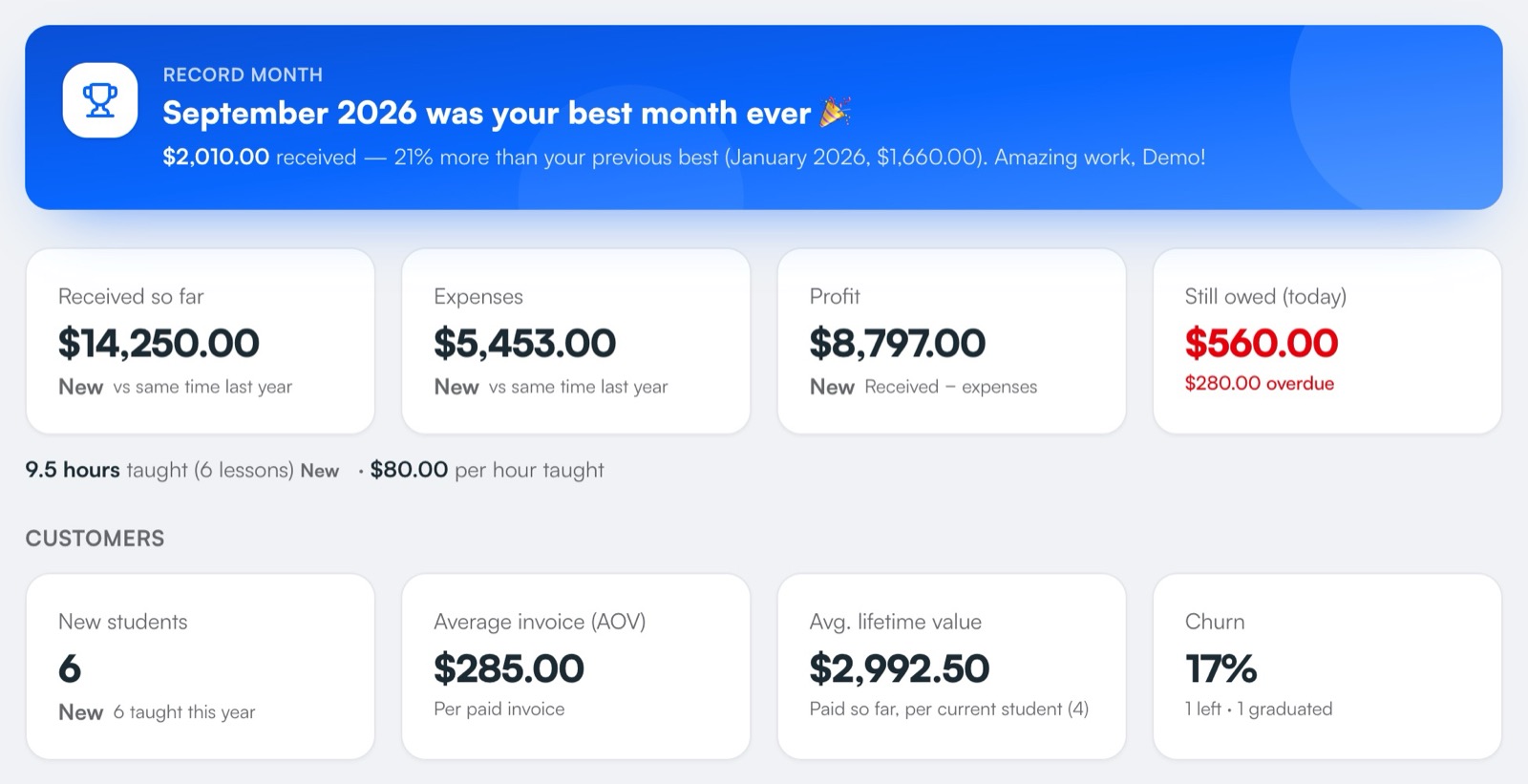
Money received by month or year, what's still owed, your expenses and your real profit, each compared with last time. At tax time, download a profit-and-loss statement with the four figures IRAS Form B asks for.
Part of Pro, Pro Plus and Centre.
How it works
- 1
Get paid as usual
Every invoice you mark paid counts towards your income, on the day the money arrived.
- 2
Add your expenses
Rent, books, printing, transport, agency fees — one-off, monthly or yearly. Spread big purchases over months or years.
- 3
Watch your profit
Bars, line or table, by month or year, with ▲▼ against last time — and a celebration for record months.
- 4
Download your statement
Excel, PDF or Google Sheets, or email it to your accountant in one click.
What you get
- IRAS Form B figuresRevenue, gross profit, allowable business expenses and adjusted profit — the four-line statement.
- Spread big costsA laptop or a car spread over months or years, so one month doesn't look like a loss.
- What's still owedUnpaid invoices alongside what's come in.
- AnalyticsLessons, hours, revenue per hour, new students and churn — compared with last time.
- Every payment listedThe statement includes each payment and expense on separate sheets.
- Send to your accountantEmail the statement straight from TuitionCRM.
Instead of…
Adding up bank transfers in a spreadsheet in March
Income tallied as you mark invoices paid
A shoebox of receipts
Expenses recorded by category as you go
Guessing your profit
Real profit by month and year, against last time
Common questions
Does TuitionCRM help with my tax return?
It produces a profit-and-loss statement with the four figures IRAS Form B asks self-employed people with revenue under S$200,000 for. Always check with IRAS guidance or an accountant before filing.
Can I record expenses?
Yes — one-off, monthly or yearly expenses by category, and big purchases spread over months or years.
Can I export it?
Yes: Excel, PDF or Google Sheets, or email it to your accountant.
Step-by-step help
Guides for tutors
Free for your first 5 students · No card needed
Try income & tax with your own students today.